This section outlines the steps to generate an access token for calling the Mirakl Connect Channel APIs.
Before starting, request a client ID and client secret from your Mirakl Partner team contact. Securely store these credentials, as they enable your integration to generate the access token.
This section explains how to use the provided credentials to generate access tokens and call the Mirakl Connect Channel APIs.
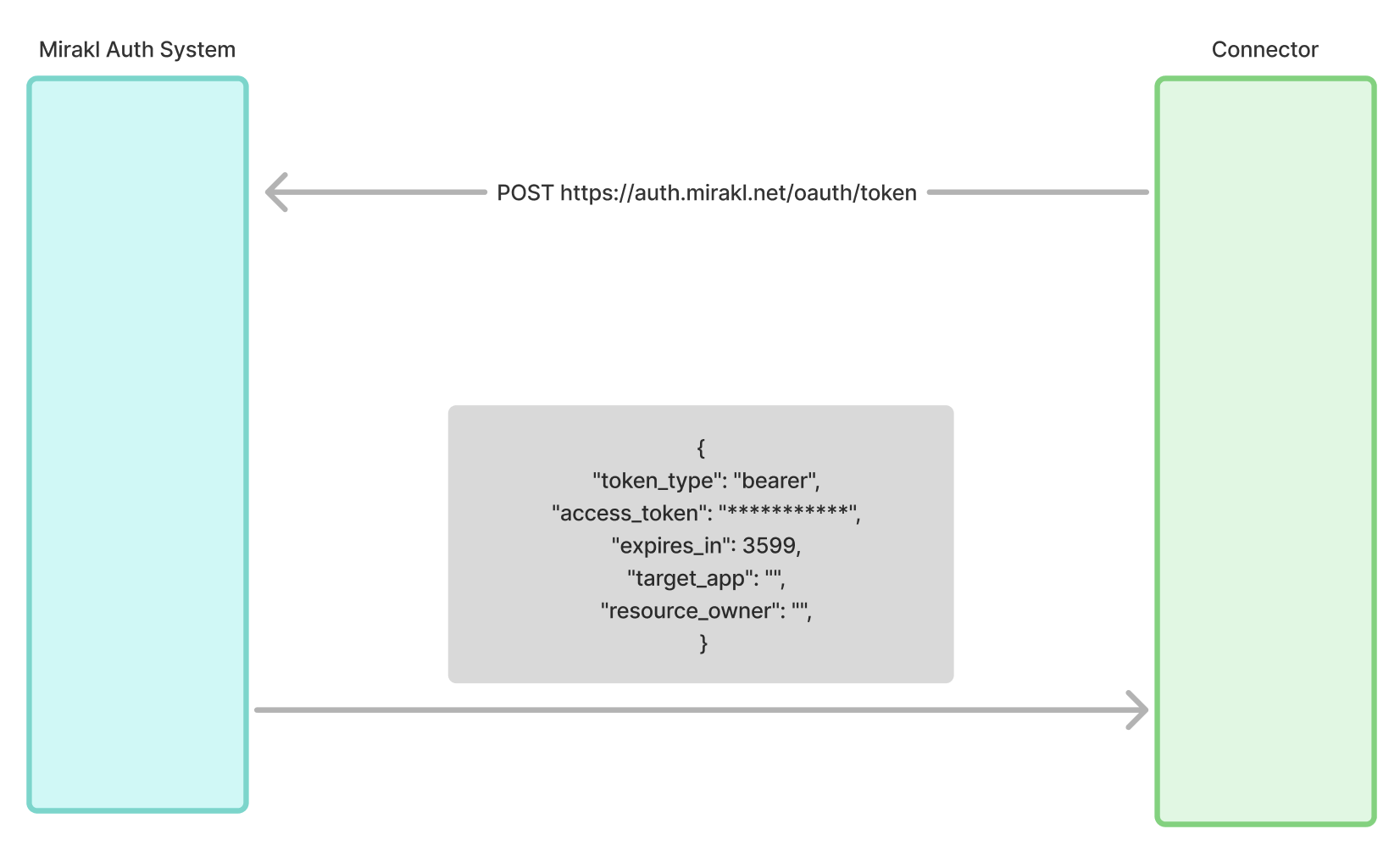
To obtain the access token, call the Mirakl Authentication System as follows:
| Field | Description |
|---|---|
| Method | POST |
| Endpoint | https://auth.mirakl.net/oauth/token |
| Content-Type | application/x-www-form-urlencoded |
| Parameters | - grant_type: must be equal to client_credentials- client_id: your client ID- client_secret: your client secretAll parameters are mandatory. |
If everything works as expected, the Mirakl Authentication System:
- Generates an access token
- Returns a 200 status with a JSON response structured as follows:
{
  "token_type": "Bearer",
  "access_token": "***********",
  "expires_in": 3599,
  "target_app": "",
  "resource_owner": ""
}| Field | Description |
|---|---|
token_type | Type of token. In this workflow, the token is always a "Bearer" type token |
access_token | The Bearer token required to call the Mirakl Connect API |
expires_in | The token's Time To Live (TTL), in seconds |
Best practice
The access token is valid for a defined period. It is best practice to run this process a few minutes before the expires_in value.
To call the APIs to which you have access, send an "Authorization" HTTP header in the following format: Authorization: Bearer <access-token>
The REST APIs reference provides all the information you need to use the APIs.