Every call your connector makes to the Mirakl Connect Channel Platform REST APIs is authenticated. This page describes the mechanism that secures those calls:
- how to obtain an access token,
- how to present it on each request,
- how to keep it fresh.
The events you receive carry no token of their own. Mirakl Connect publishes them to the queue or the topic you own, and you grant it the permission to publish there. Refer to Receiving events.
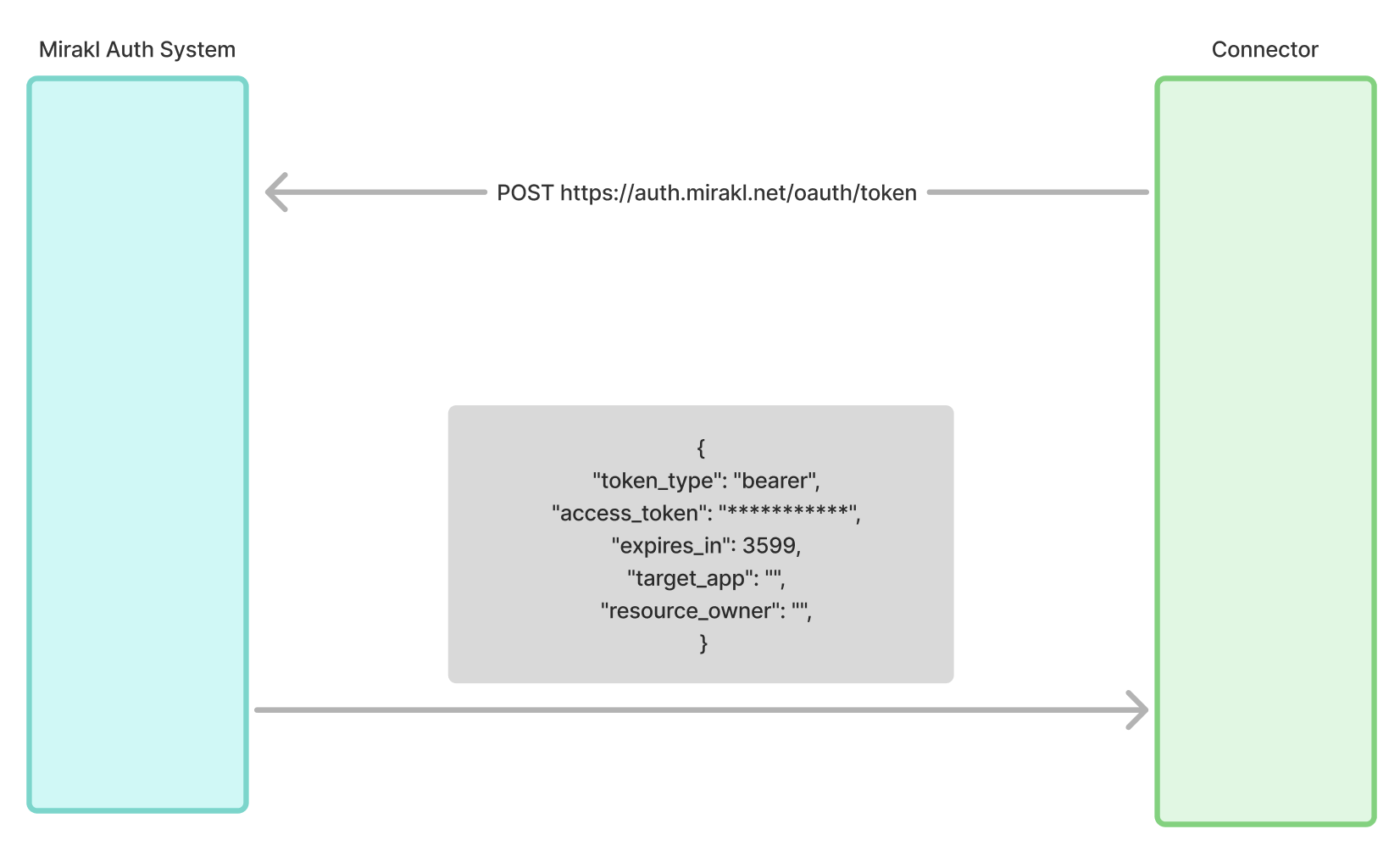
Mirakl Connect uses the OAuth2 client-credentials grant. Your connector is a confidential client that acts as itself, with no end user involved. It therefore authenticates with a client ID and a client secret, and exchanges them for a short-lived access token. It then presents that token as a Bearer token on every REST call.
Three facts define the whole flow:
- Mirakl issues you a client ID and a client secret. Mirakl provisions them for you, and you do not register yourself.
- You exchange them for a token at the token endpoint. A
POSTto the/oauth/tokenendpoint of the Mirakl Authentication System, withgrant_type=client_credentialsand your credentials, returns a Bearer access token and its lifetime. - You send the token on every request. Each REST call carries the header
Authorization: Bearer <access_token>. A request without a valid, unexpired token is rejected with401 Unauthorized.
The same client-credentials mechanism, and the same Authorization: Bearer header, secure both hosts your connector talks to: the Mirakl Connect host and the Mirakl Account host. Environments lists the host URLs for each environment.
Before you start, request a client ID and a client secret from your contact in the Mirakl Partner team. Store these credentials securely, because they let your connector generate the access token.
To obtain the access token, call the Mirakl Authentication System:
- Method:
POST - Endpoint:
https://auth.mirakl.net/oauth/token - Content-Type:
application/x-www-form-urlencoded - Parameters, all of them mandatory:
grant_type: must be equal toclient_credentialsclient_id: your client IDclient_secret: your client secret
The endpoint above is the production host. In the test environment, use the test authentication host listed in Environments.
The token request is a standard client-credentials exchange, sent as application/x-www-form-urlencoded:
POST /oauth/token
Content-Type: application/x-www-form-urlencoded

grant_type=client_credentials&client_id=<client_id>&client_secret=<client_secret>
If everything works as expected, the Mirakl Authentication System generates an access token and returns a 200 status, with a JSON response structured as follows:
{
  "token_type": "Bearer",
  "access_token": "***********",
  "expires_in": 3599,
  "target_app": "",
  "resource_owner": ""
}
Three fields matter:
token_type: alwaysBearerin this workflow.access_token: the Bearer token you present on every REST call.expires_in: the token's remaining lifetime, in seconds.
Build your connector's caching and refresh logic around expires_in, and request a new token a few minutes before it elapses. Read Token lifecycle.
Every REST call to the Channel Platform presents the token on the Authorization header:
POST https://miraklconnect.com/api/channel-platform/<operation-path>
Authorization: Bearer <access_token>
Content-Type: application/json

{ "...": "request body" }Access is not all or nothing. Tokens carry fine-grained scopes, one for each operation, and each REST operation declares the scope it requires. Scopes follow the pattern connect-channel-platform:<area>:<action>.
These examples come from the current API surface:
connect-channel-platform:store:writegrants the right to publish a store's business information.connect-channel-platform:channel-catalog:configuregrants the right to configure a channel's catalog and taxonomy.connect-channel-platform:orders:upsertgrants the right to synchronize the orders.connect-channel-platform:order-action:upsertgrants the right to report the outcome of an order action.connect-channel-platform:order-returns:upsertgrants the right to synchronize the returns.
Your credentials are authorized for the scopes your connector needs, and the token you receive carries those scopes.
If a call returns 403 Forbidden rather than 401, the token was valid but it did not carry the scope the operation requires. That is a problem of authorization, not of authentication. To resolve it, ask your Mirakl partner contact to adjust the scopes associated to your OAuth2 client.
Access tokens are short-lived by design. Build your connector to obtain a token once, reuse it across many calls, and refresh it only as it nears its expiry. Do not request a fresh token for each call.
- Cache the token. Keep the access token and its expiry in memory, or in shared storage if several worker processes call the API. Reuse it for every call until it is close to its expiry.
- Refresh ahead of the expiry. Treat the token as expired slightly before its real deadline, so that a request never fails in flight on a token that lapses in transit. A leeway of about 300 seconds, which is 5 minutes, before
expires_inis a safe margin. - Refresh on a
401. If a call is rejected with401 Unauthorizedeven so, discard the cached token, request a new one, and retry the call once. This covers clock skew, and tokens revoked before their nominal expiry. - Serialize the refreshes. If many calls run concurrently, make sure that only one refresh happens at a time, rather than every caller requesting its own token when the cached one lapses.
The access token rotates automatically, because it is short-lived and your connector fetches it again as described above.
The client secret is a long-lived credential. Treat it like any other secret: store it encrypted, never commit it to source control, never log it, and rotate it periodically. Your contact in the Mirakl Partner team issues a new client secret.
- Calling the APIs: where to present the token, and the two hosts the calls are split across.
- Get access: how you obtain the client credentials in the first place.
- Environments: the test and production token endpoints.
- Best practices: how to handle a
401against a403, and what to log about each.